

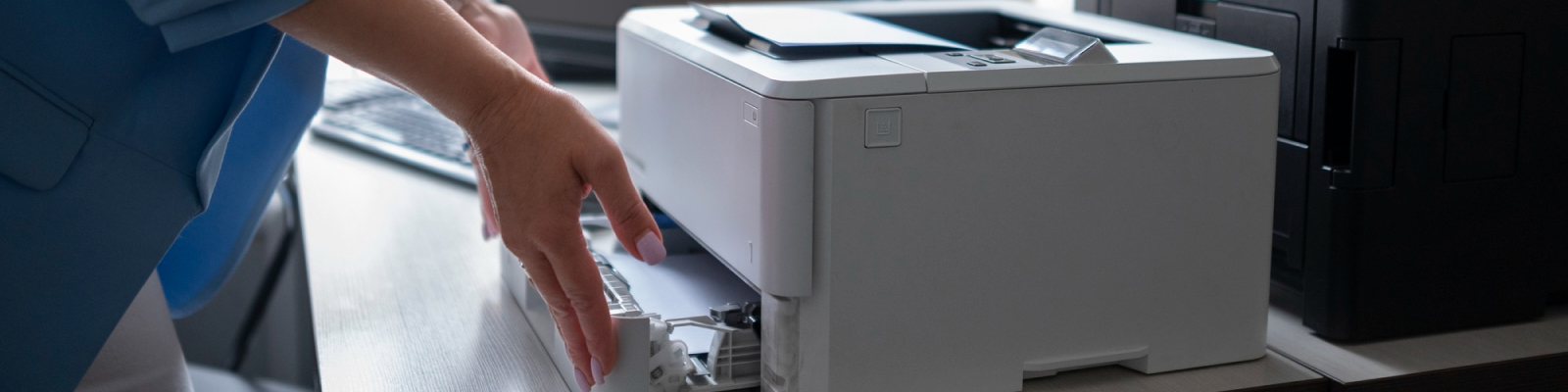
A multi-function printer (MFP) is a device that combines printing, scanning, copying, and sometimes faxing into one machine. It is designed to handle multiple document-related tasks in offices, businesses, and even homes, saving space and increasing efficiency.

What Functions Does a Multi-Function Printer Include?
A typical multi-function printer offers several features, including:
- Print: Produces hard copies from digital documents.
- Copy: Duplicates physical documents.
- Scan: Converts physical documents into digital formats.
- Fax (optional): Sends documents over a telephone line.
Some advanced MFPs may also support:
- Email integration
- Cloud storage access (like Google Drive or Dropbox)
- Optical Character Recognition (OCR)
- Mobile printing and wireless connectivity
Types of Multi-Function Printers
There are two main categories of MFPs:
1. Inkjet Multi-Function Printers
Ideal for home or small office use. They offer high-quality color printing and are cost-effective upfront.
2. Laser Multi-Function Printers
Best for larger offices with high-volume needs. They print faster, use toner (not ink), and have a lower cost per page.
How Does a Multi-Function Printer Work?
A multi-function printer works by integrating various technologies into one machine. Here’s how each function operates:
- Printing: Receives a digital command from a computer or mobile device, then produces the document using ink or toner.
- Scanning: Uses light and sensors to capture the image of a document and convert it into a digital file.
- Copying: Scans the original document and immediately prints a duplicate.
- Faxing: Scans a document and sends it to another fax machine using a phone line.
Benefits of Using a Multi-Function Printer
1. Saves Space
Combining multiple devices into one unit helps free up desk and office space.
2. Cost Efficiency
It reduces the need to buy multiple machines and simplifies maintenance.
3. Convenience
Having all functions in one place improves productivity and workflow.
4. Energy Efficiency
Using a single device for multiple purposes typically consumes less energy than running several machines.
5. Wireless Connectivity
Modern MFPs allow you to print and scan from smartphones, tablets, or cloud storage, adding mobility and flexibility.
What to Look for When Buying a Multi-Function Printer?
When selecting an MFP, consider the following:
1. Print Speed
Measured in pages per minute (PPM). Offices with high-volume printing needs should look for higher PPM rates.
2. Print Resolution
Measured in dots per inch (DPI). Higher DPI means better print quality.
3. Monthly Duty Cycle
The maximum number of pages a printer can handle per month. Choose an MFP that matches your usage.
4. Paper Handling
Consider the input tray size, supported paper types, and automatic document feeder (ADF) for scanning or copying multiple pages.
5. Connectivity Options
Ensure it has USB, Ethernet, Wi-Fi, or Bluetooth support based on your setup.
6. Operating Costs
Check the cost of ink or toner replacement and power consumption.
Are Multi-Function Printers Good for Home Use?
Yes, multi-function printers are excellent for home use. They are especially useful for remote workers, students, and families who need to print, scan, and copy documents. Compact MFPs designed for home users are budget-friendly and easy to set up.
Are Multi-Function Printers Secure?
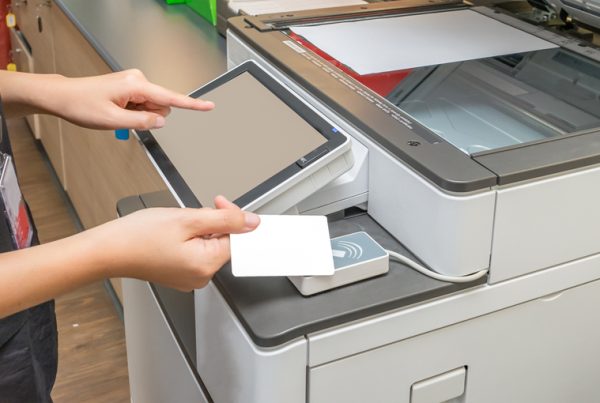
Modern MFPs come with built-in security features like:
- Password protection
- User authentication
- Data encryption
- Secure print release
For businesses handling sensitive information, these security options are essential.
Who Uses Multi-Function Printers?
MFPs are commonly used by:
- Small and Medium-Sized Businesses (SMBs)
They rely on MFPs to manage daily document needs without investing in multiple machines. - Large Enterprises
Corporate offices use high-end MFPs with advanced workflow integration, cloud access, and high-speed printing. - Home Users
Individuals working remotely or managing schoolwork and paperwork from home benefit from compact and affordable MFPs. - Educational Institutions
Schools and universities use MFPs to print, scan, and distribute materials for students and staff.
Multi-Function Printer vs. Single-Function Printer
|
Feature |
Multi-Function Printer |
Single-Function Printer |
|
Capabilities |
Print, Copy, Scan, Fax |
Print only |
|
Space Saving |
Yes |
No |
|
Cost |
Usually higher upfront, but more functional |
Lower initial cost |
|
Ideal For |
Offices, Homes, Schools |
Basic printing needs only |
Is a Multi-Function Printer Right for You?
If you need a device that offers printing, scanning, copying, and possibly faxing — a multi-function printer is a smart, space-saving solution. It simplifies office workflows, improves productivity, and reduces the total cost of ownership. Whether you run a small office or work from home, choosing the right MFP can streamline your document handling tasks efficiently.
Power Your Business with GoodSuite
At GoodSuite, we don’t just provide technology — we deliver peace of mind. From Managed IT Services and Print Solutions to VoIP Phone Systems and Cybersecurity, our team is dedicated to helping your business run smarter, safer, and more efficiently.
Whether you’re a growing company or an established enterprise, GoodSuite has the expertise and tools to support your operations every step of the way.
Let’s make IT easy.
Call us today
Visit www.goodsuite.com to schedule a free consultation and discover how we can tailor a solution that fits your business goals.
GoodSuite — Business Technology. Simplified.

Common Questions About Multi-Function Printers
Do all multi-function printers include faxing?
No, not all MFPs include faxing. Some models offer only print, copy, and scan. Faxing is more common in business-oriented MFPs.
Can I print from my phone using a multi-function printer?
Yes, most modern MFPs support mobile printing through apps like Apple AirPrint, Google Cloud Print, or proprietary software from the printer manufacturer.
Do MFPs need to be connected to a computer?
Not always. Many MFPs support standalone copying, scanning to email, and cloud printing without a computer.
What’s the difference between an all-in-one
They are essentially the same. “All-in-one printer” is another term for a multi-function printer, especially in consumer models.