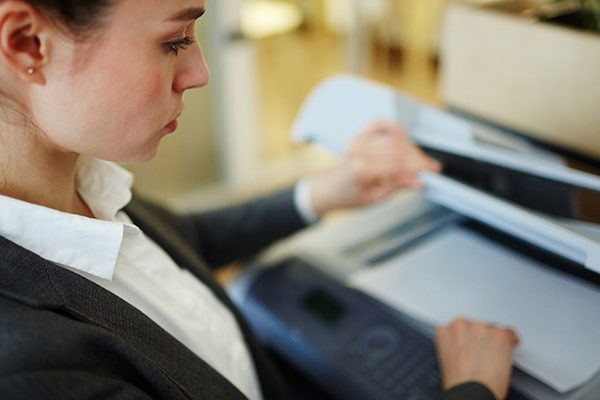


Medical offices require printers that are reliable, secure, and efficient to support daily operations and ensure patient confidentiality. Because of these medical printing needs, careful consideration must be taken to find a multifunction device that delivers high-quality output. How can multifunction devices benefit medical offices? Which printers are best for these businesses? This article provides a closer look at the best printers to choose for medical spaces and how top-rated printers can improve medical office functionality.

How Multifunction Printers Can Benefit Medical Offices
Multifunction printers have comprehensive capabilities that can largely impact the efficiency of a medical office. The following features are crucial for printing in the medical industry:
- Enhanced Security: Secure print release and data encryption are necessary features to maintain HIPAA compliance while dealing with Personally Identifiable Information (PII).
- Fast Speeds: For offices dealing with high patient volumes, fast print, scan, and copy speeds are crucial.
- High-Resolution Output: To successfully print clear, legible documents like prescriptions and charts, these printers need to deliver high-resolution output.
- Connectivity: Medical offices need printing capabilities that connect to a wide range of networked devices, along with cloud functionality and compatibility with electronic health record systems.
Essential Features of Medical Printers
When looking for a new printer for your medical office, it’s essential to look for devices with multifunction features and next-level security to ensure your patients’ information remains secure and that your device can keep up with your print volume. Look for printers with the following qualities:
- Multifunction: Look for a device with print, copy, fax, and scanning capabilities to ensure it can serve any need your office has. Decide whether color printing is a priority or if monochrome is the way to go.
- Stapling: Having a printer with stapling capabilities simplifies your physical record keeping, saves records from getting out of order or misplaced, and saves staff significant time.
- Data Security Kit: Having a printer with upgraded security features ensures your office or organization remains in compliance with HIPAA guidelines and keeps patient records confidential. Options like secure print release also allows offices to oversee which staff reviews certain patient information. Your devices should also be completely encrypted to further prevent unauthorized access to patient information.
- High-Volume: Many medical offices have high-volume print needs that not all devices can keep up with. Ensure you’re choosing a printer with a high PPM (pages per minute) output to save time and to keep your operation running smoothly.
- Wireless: Wireless printing (wifi, bluetooth, etc.) and cloud computing functions enhances convenience, upgrades efficiency and simplifies document sharing for patients.
Best Multifunction Printers for Medical Offices
Type: Monochrome
Print Speed: 65 ppm
Functionality: Print, Copy, Scan, Fax (optional)
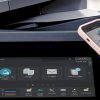
This high-volume laser printer provides the ideal solution for busy medical offices that have robust print needs. The BP-50M65 has a 10.1-inch touchscreen, providing convenient functions for all users. The connectivity options include mobile devices, along with cloud integration to Microsoft Teams, Google Drive, and Dropbox, which allow for convenient and secure printing from a wide range of devices.
The Sharp BP-50M65 also provides trusted security features that protect your medical office’s sensitive patient data. This includes user authentication to ensure data isn’t accessed by unauthorized parties. Additionally, to save energy at your medical facility, this model is Energy Star 3.0 certified, which keeps power consumption to a minimum.
Type: Monochrome
Print Speed: 120 ppm
Functionality: Print, Copy, Scan
The Sharp MX-M1206 is a high-volume printer, and because it delivers an incredibly fast speed, it offers the ideal solution to medical offices that have robust daily print needs. Its large 15.4-inch touchscreen with Easy UI mode makes user interaction simple. This printer also supports a paper capacity of up to 13,500 sheets, which makes it easy to keep the device loaded and prepared for convenient printing. It offers a wide range of finishing options, including multi-folding, saddle stitching, and hole-punching, allowing your office to complete a wide range of print jobs in-house.
This printer has been designed for demanding, high print volume work environments. Its strong security capabilities with user authentication and secure print release also simplifies meeting compliance standards for your patients and their PII.
Type: Color
Print Speed: 31 ppm
Functionality: Print, Copy, Scan, Fax (optional)
The Sharp BP-50C31 is an excellent option for mid-sized medical offices seeking reliable, high-quality print solutions. This model includes a 10.1-inch customizable touchscreen for user-friendly control. It offers a standard paper capacity of 650 sheets, expandable to 6,300 sheets, which delivers maximum customizability to cater to your office’s requirements.
Security is also a key strength of this printer, with features like system integrity checks and application whitelisting. The printer makes workflows easy in medical offices by integrating seamlessly with cloud and mobile services such as Microsoft Teams and Google Drive. Plus, as an ENERGY STAR® certified device, the BP-50C31 is an environmentally friendly option that saves power.
Find Your Medical Office’s Perfect Printer
Regardless of your medical printing needs, the models in this guide provide excellent options for medical offices of all sizes. GoodSuite provides purchasing and leasing options for all of the listed devices, along with a comprehensive range of other high-quality multifunction printers in Fresno, Los Angeles, and Southern California.
We deliver only the best devices to our customers, along with our Fresno managed print services to keep your office running smoothly while we handle your print infrastructure.
Interested in learning more about our products and services? Request an assessment or call us today to take a step towards improved printing in your office.