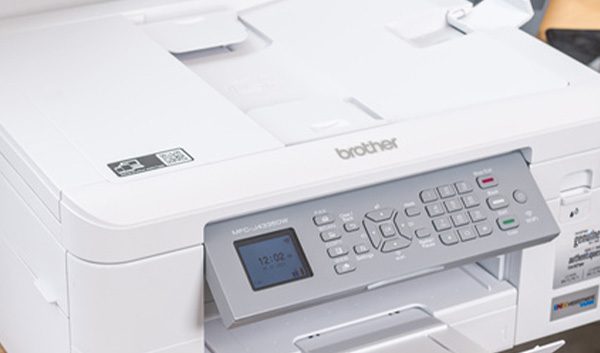



Protecting your print fleet is just as important as protecting any other devices in your organization. Multifunction printers, or MFPs, are more than just printers—they often scan, copy, fax, and store data, and with more sophisticated features, they have more potential entry points for cyberattacks. While giving up the advanced capabilities of these machines would be nearly impossible, protecting your MFPs appropriately is much more feasible. With the proper knowledge, your organization can take the necessary steps to secure your multifunction printers and ensure your print environment doesn’t serve as a playground for cybercriminals.

Why Do Printers Need Security?
People often forget that printers are an important consideration in endpoint security. However, the reality is that multifunction printers need security measures just as much as any other device in your repertoire. What makes these devices vulnerable to cyberattacks?
Printers are more advanced in the present day, but this also allows more room for vulnerabilities. Cybercriminals can easily infiltrate unsecured printers, pulling critical data from the device and ultimately resulting in losses for your organization. This can happen on an unsecured wireless network as well. Once these hackers breach your multifunction printer, they can often advance to other parts of your organization’s infrastructure and cause further damage.
Steps to Secure Your Multifunction Printers
Knowing the threats of data breaches on multifunction printers, these cyberattacks can feel like a major risk. However, with the right security measures, you can ensure your device has a strong shield against cybercriminals.
Regularly Update Firmware
Multifunction printers often receive firmware updates that include security patches and crucial performance improvements. Keeping the firmware current ensures any known vulnerabilities are efficiently addressed and fixed, reducing the risk of exploitation by bad actors. If available, enable automatic updates, as this can help your organization’s print fleet stay current without needing to check for updates manually. This step can make print security even stronger and ensure your printers are updated as soon as possible. Another important consideration is your industry’s specific regulations. If you work in an industry with stringent compliance needs, updating your firmware will ensure you maintain compliance.
Encrypt Data
Encryption protects sensitive information whether it’s in transit—traveling across networks—or at rest—stored on the device after printing. Without encryption, unauthorized users can easily intercept data sent to or from a printer. End-to-end encryption solutions can provide the utmost security, which is particularly important for businesses in industries that deal with an abundance of sensitive or confidential information. This step ensures your data is properly protected without the risk of breaches.
Implement Role-Based Permissions
Limiting access based on user roles helps control who can use specific functions, such as scanning to email or accessing stored documents. This reduces the risk of unauthorized use or accidental data access. Your printer—and all devices at your organization—should have permissions assigned according to job responsibilities, and these permissions should be regularly updated as needed to ensure no user retains unnecessary access.
Audit Data
Regularly auditing printer activity helps detect suspicious or unauthorized behavior. Logs can reveal patterns such as excessive printing or access to sensitive features by unexpected users. With audit trails, your organization can investigate any incidents that arise and ensure compliance with data policies. In some industries, these audits are a requirement to maintain compliance, but even in industries where audits aren’t necessary, they provide many security advantages.
Enable Secure Print Release
Secure print release holds print jobs in a queue until the user authenticates their identity at the device. This prevents sensitive documents from sitting unattended on the printer or from being intercepted by the wrong user who shouldn’t have access to the printed data. It’s especially useful in office environments in industries where users frequently print confidential information, such as healthcare, banking, or government.
Disable Unused Ports
Multifunction printers come with various communication ports and protocols, many of which may not be necessary for use in your print environment. Disabling unused ports and protocols reduces the number of entry points hackers can exploit when attempting to attack. To maintain heightened security, your organization should regularly review and close any ports not actively in use.
Maintain Strong Security for Your MFPs
Although many risks to your multifunction printer’s security exist, taking the right measures to implement reliable security solutions can significantly decrease the chances of a breach. Following the aforementioned steps to print security can ensure your organization’s data remains secure as you use your print fleet.
Seeking assistance securing your MFPs? Count on GoodSuite for effective security solutions that protect your print fleet from cybercriminals. The experienced professionals at GoodSuite deliver top-rated managed print solutions to businesses across California and beyond, allowing organizations to stay secure and enhance their day-to-day operations. For over 25 years, our team has worked with our valued clientele to customize solutions for their specific needs.
Interested in seeing how we can help your organization? Request a free assessment online or call us today to learn more.