
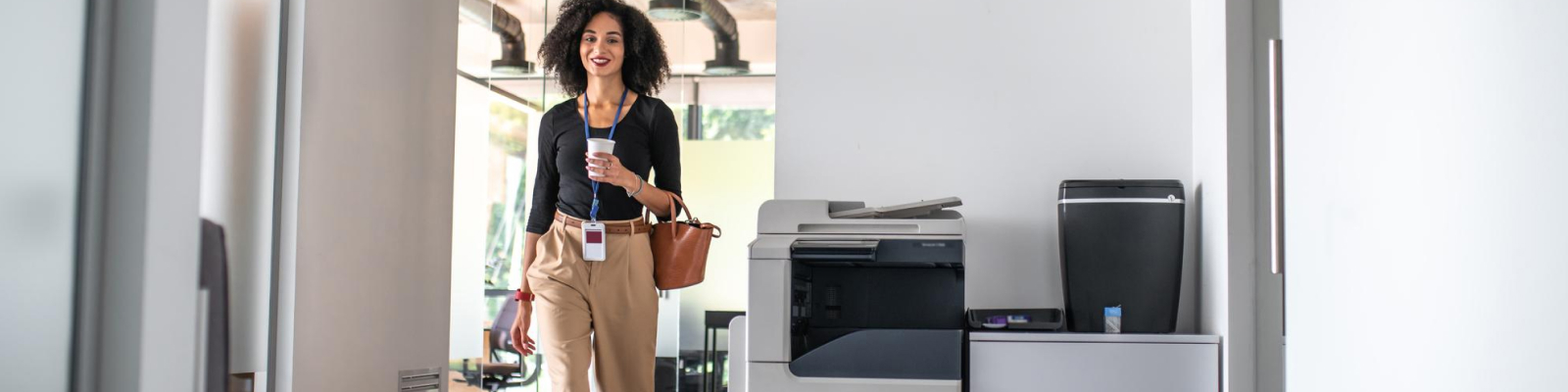
When it comes to running an efficient office, having the right copier is just as essential as having reliable internet or a good coffee machine. Whether you’re handling everyday print jobs, scanning important documents, or producing high-quality presentations, the best copiers for offices combine speed, reliability, and advanced features. This guide will help you understand which copier fits your business needs and what factors to consider before making a purchase.

What is an Office Copier?
An office copier is a multifunctional device designed to copy, print, scan, and sometimes fax documents in a business environment. Unlike home printers, office copiers are built for high-volume workloads and offer more advanced features like duplex printing, wireless connectivity, and integration with cloud platforms.
Types of Copiers for Offices
Understanding the different types of copiers is crucial to making the right investment:
1. Multifunction Printers (MFPs)
These are all-in-one devices that handle printing, copying, scanning, and faxing. Ideal for small to medium-sized businesses looking to save space and money.
2. Digital Copiers
Digital copiers convert the document into digital data, enabling improved clarity, better storage, and faster output. These are common in large offices with high document handling needs.
3. Networked Copiers
These copiers connect to your office’s internal network, allowing multiple users to access the machine for printing or scanning without needing direct USB connections.
4. Color Copiers vs. Black and White
Color copiers are perfect for marketing materials and presentations, while black-and-white models are typically more affordable and suitable for text documents.
Key Features to Look For
When choosing the best copier for your office, here are some features to prioritize:
1. Print Speed
Measured in pages per minute (PPM), print speed is vital for productivity. Offices with high-volume print jobs should look for copiers with speeds of 30–60 PPM.
2. Print Volume
The monthly duty cycle tells you how many pages a copier can handle in a month without breakdown. Choose a model that matches or exceeds your monthly needs.
3. Duplex Printing and Scanning
Automatic double-sided printing and scanning can save paper and streamline workflows.
4. Wireless Connectivity
Wi-Fi-enabled copiers let users print from anywhere in the office and even from mobile devices.
5. Paper Handling
Check for multiple paper trays, high-capacity feeders, and support for different paper sizes and types.
6. Security Features
Look for copiers with password protection, encrypted printing, and secure cloud integrations, especially if your business deals with sensitive data.
Top 5 Copiers for Offices in 2025
Here are some of the best-rated office copiers available this year, covering a range of business sizes and needs:
1. Canon ImagePROGRAF 24” TM-250
- Type: Color Multifunction
- Print Speed: Up to 34 PPM
- Best for: Mid to large-sized offices
- Features: Cloud integration, strong security features, excellent print quality
- Why It’s Great: Balances hig-speed image printing with exceptional print quality and designed with intelligent technology for advanced media handling, increased security features and improved design.
2. HP Color LaserJet Managed MFP E57540dn
- Type: Color Laser MFP
- Print Speed: 40 PPM
- Best for: Enterprises to mid-sized businesses
- Features: Wireless printing, higly secure, low operating costs
- Why It’s Great: A compact machine with big performance at an affordable price.
3. Sharp Electronics BP-50M31
- Type: Monochrome MFP
- Print Speed: Up to 31 PPM
- Best for: High-volume environments
- Features: Media handling, upgrades workflow efficiency & collaboration
- Why It’s Great: Fast, secure, and reliable—perfect for enterprises with heavy workloads.
4. Xerox AltaLink C8135H2
- Type: Color Multifunction
- Print Speed: 35 PPM
- Best for: Large offices and corporate departments
- Features: App-based workflow automation, AI-driven user interface
- Why It’s Great: Future-ready with top-tier security and connectivity.
5. Kyocera TASKalfa MA4500ci
- Type: Color MFP
- Print Speed: 47 PPM
- Best for: Mid-size offices
- Features: Long-life components, flexible paper handling, mobile printing
- Why It’s Great: Eco-friendly and cost-effective, with consistent performance.
Copier vs. Printer: What’s the Difference?
While the terms are often used interchangeably, copiers are generally built for higher volume and durability, and many include additional functions such as faxing and advanced scanning. Printers are typically more compact and suited for basic print needs. A multifunction copier combines the best of both worlds.
Leasing vs. Buying a Copier
Buying Pros:
- Long-term cost savings
- Complete ownership
- No monthly payments
Buying Cons:
- High upfront cost
- Depreciation over time
Leasing Pros:
- Predictable monthly expenses
- Easier upgrades
- Service and maintenance often included
Leasing Cons:
- Higher total cost over time
- Long-term contracts
Leasing is ideal for businesses wanting to preserve capital and always have the latest technology.
Maintenance and Support Considerations
Choosing the best copier also means ensuring consistent performance. Consider vendors that offer:
- Preventive maintenance plans
- Fast repair services
- Remote monitoring and diagnostics
- OEM parts and toner replacements
Downtime can affect productivity, so ensure your provider offers excellent support.
Choosing the best copier for your office comes down to understanding your business’s needs: volume, speed, functionality, and budget. Whether you’re a startup, a law firm, or a corporate enterprise, there’s a copier out there that matches your workflow and keeps your operations smooth.
Looking to upgrade your office technology with reliable, secure, and efficient solutions?
GoodSuite offers top-tier Managed IT Services, Print Solutions, VoIP Systems, and Cybersecurity tailored to your business needs. Whether you’re a small business or a growing enterprise, our expert team is here to streamline your operations and boost productivity.

FAQ
What is the average cost of an office copier?
A basic copier may start around $1,000, while high-end models for large offices can cost $10,000 or more. Leasing options typically range from $50 to $300/month.
How long does an office copier last?
With proper maintenance, an office copier can last 5–7 years or more.
Do I need a color copier?
If your work includes marketing, presentations, or design, a color copier is beneficial. For general document printing, black-and-white models are sufficient.
Can copiers integrate with cloud services?
Yes, most modern copiers integrate with platforms like Google Drive, Dropbox, SharePoint, and OneDrive for easy document sharing and storage.
Are there eco-friendly copier options?
Yes. Look for ENERGY STAR® certified models and machines that support duplex printing and long-life components to reduce waste.